
How to start on DBBet Kenya
Install the app, create your account, and make your first M-Pesa deposit in a few minutes. Follow the screenshots below.
Download
Get the Android APK or add to iPhone home screen.
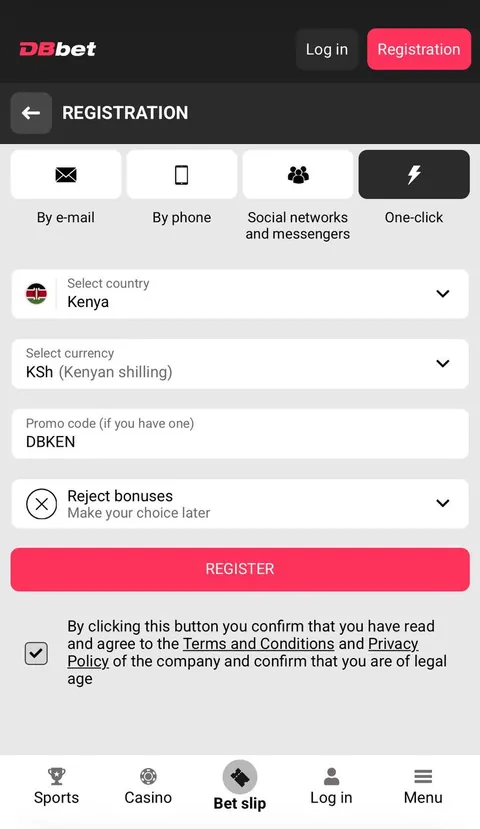
Register
Sign up with your Safaricom number + promo code.
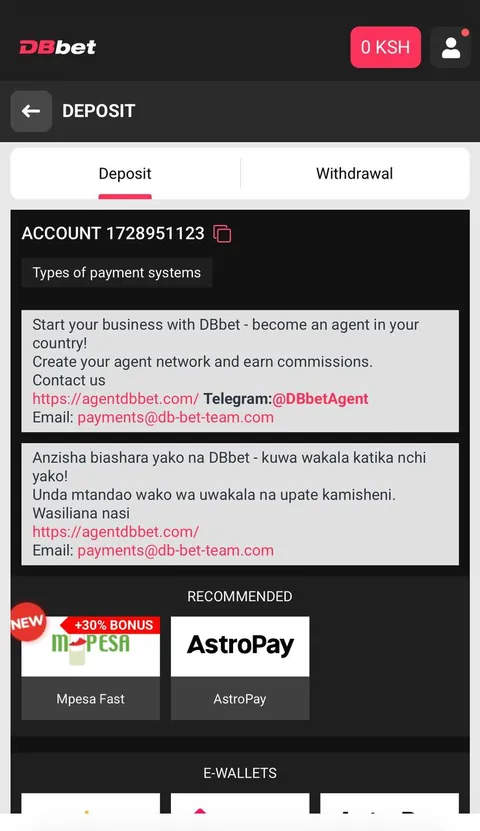
Deposit
Fund with M-Pesa from KES 30.
Play
Bet on sports or play casino instantly.
The DBBet mobile app
The DBBet app is a dedicated mobile version of the site for players who want their account a tap away. On Android you install a small APK file; on iPhone and iPad you add the site to your home screen from Safari. Both open the same account, the same balance and the same bonuses, so you can move between your phone, tablet and computer without setting anything up again.
For Kenyan players it makes the everyday things quick: logging in without hunting for a browser tab, checking your balance on the way to a match, topping up with M-Pesa before kick-off, cashing out a bet in seconds, or claiming a bonus in the evening. The layout is built around what you actually use — login, deposits, withdrawals, bonuses and support — not long pages you scroll past.
At a glance
| Platforms | Android APK · iPhone & iPad (mobile web) |
|---|---|
| Android version | Android 7.0 or newer |
| Storage needed | About 100 MB free |
| iPhone access | Add to Home Screen via Safari — no App Store needed |
| Payments | M-Pesa, Airtel Money & crypto — deposit from KES 30 (+30% on M-Pesa Fast deposits of USD 10 or more, once a day) |
| Price | Free to download and use |
Install the DBBet APK on Android
Download the APK, allow install from unknown sources, and open the app. Follow the screenshots in order.
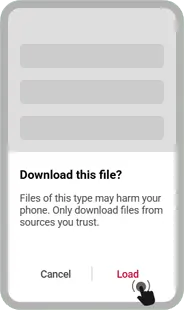
Tap Download on the browser prompt to start the APK file.
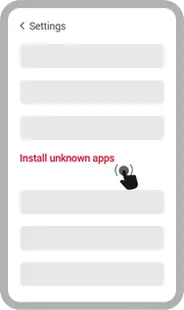
Open Settings and find Install unknown apps in the security area.
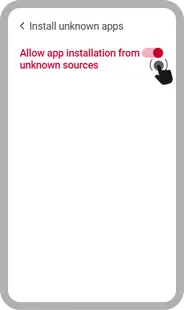
Switch on Allow from this source for the browser you used.
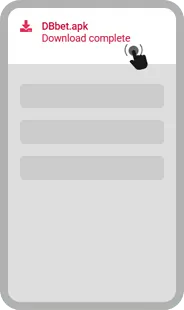
Open your Downloads and tap the DBBet APK file.
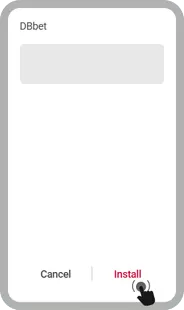
Confirm the permissions and tap Install.
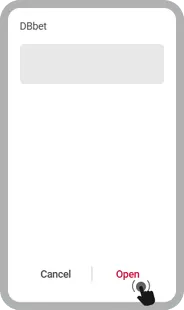
When you see App installed, tap Open to start playing.
Add DBBet to your iPhone
There's no App Store download — instead you add DBBet to your home screen, which gives you the same full-screen, app-like experience.
- Open dbbetke.com in the Safari browser (this won't work in Chrome).
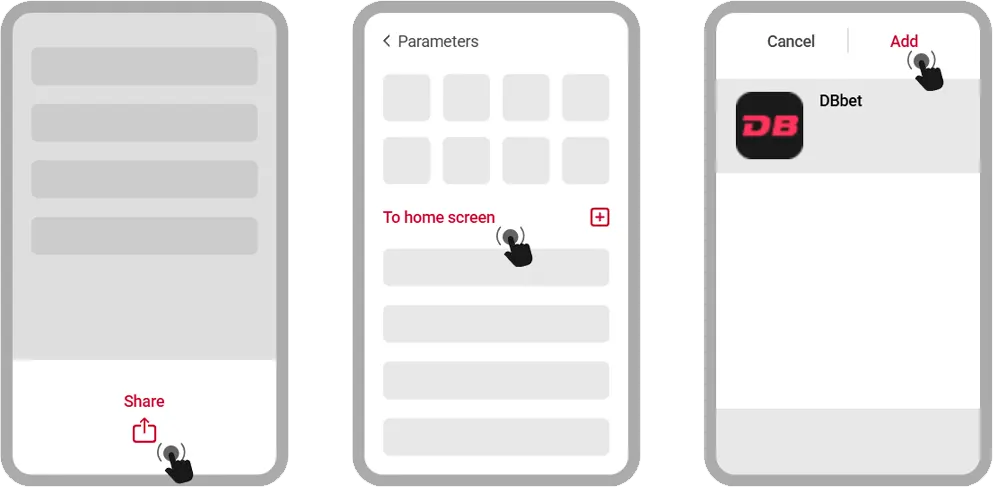
- Tap the Share icon in the toolbar (the square with an arrow).
- Scroll down the menu and choose "Add to Home Screen".
- Keep the name as DBBet and tap Add — the icon lands on your home screen.
- Open it like any app, log in, deposit with M-Pesa and play.
If the app won't install or open
- Allow installs from your browser: Settings → Apps → Special access → Install unknown apps.
- Check you have enough free storage (about 100 MB) and a stable connection.
- Delete the old file, download the latest APK again, and reinstall.
- Restart your phone, then open the app once more.
- Still stuck? Just use the mobile site in your browser — it works with nothing to install.
Handy mobile tips
- Keep the app updated for the latest odds, games and fixes.
- Turn on notifications for bonuses and cash-out alerts.
- Download over Wi-Fi the first time to save mobile data.
- Stay logged in so deposits and withdrawals are one tap away.
Questions about the DBBet app
How do I install the APK on Android?
Can I use it on an iPhone?
Why does Android ask about "unknown sources"?
What if the app doesn't open?
How much storage do I need?
Can I play without installing anything?
Deposits & withdrawals
DBBet Kenya supports M-Pesa (from KES 30), Airtel Money, and 40+ cryptocurrencies. Deposits are instant; withdrawals go straight back to your phone. Choose M-Pesa Fast on a deposit of USD 10 or more and you get an extra 30%, once a day.



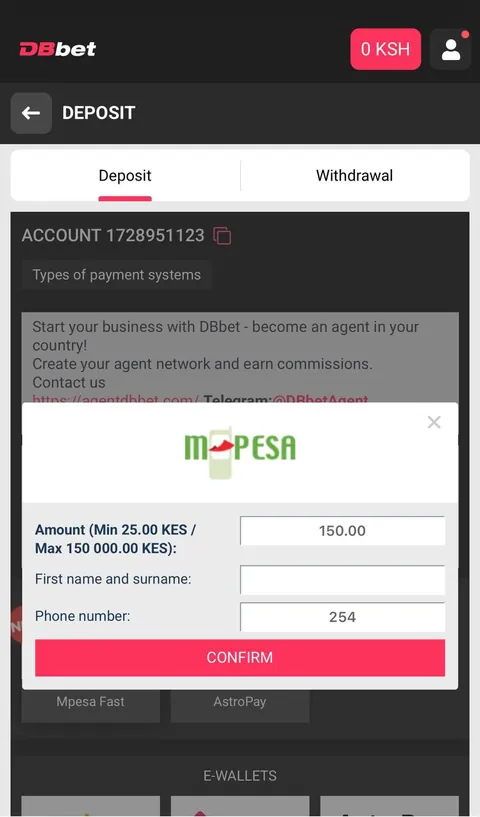
How to deposit with M-Pesa
Open cashier
Go to Deposit and choose M-Pesa.
Enter amount
From KES 30. M-Pesa Fast adds +30% from USD 10. Confirm.
Approve STK
Enter your M-Pesa PIN on the prompt.
Done
Funds land instantly.
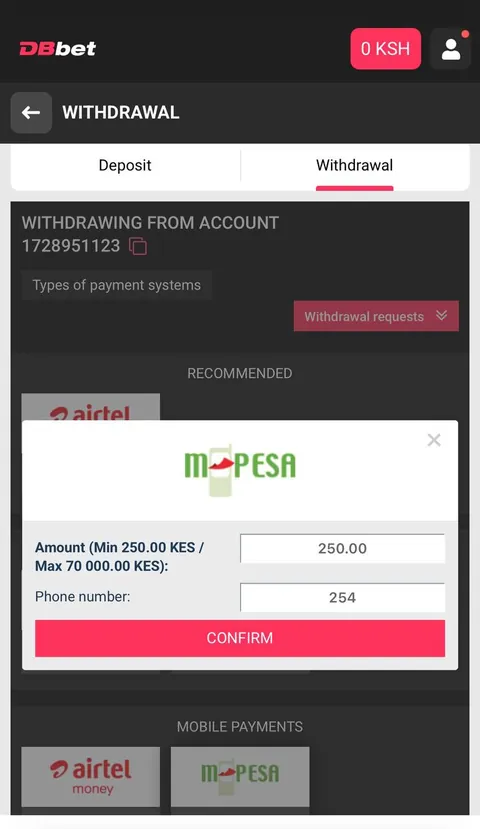
How to withdraw to M-Pesa
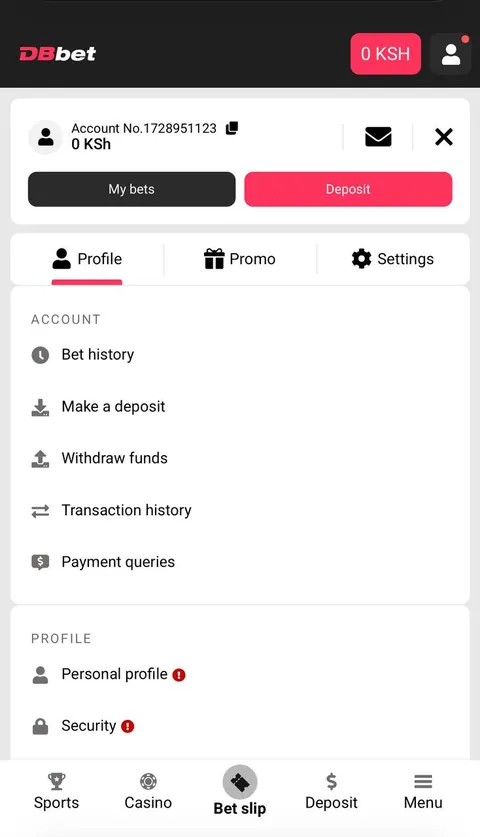
Open cashier
Go to Withdraw, choose M-Pesa.
Enter amount
Add your M-Pesa number.
Confirm
Verify the request.
Receive
Cash arrives on your phone.
Play responsibly
You must be 18+ to register and play. Set deposit limits, take breaks, and never bet more than you can afford to lose. If gambling is affecting you or someone you know, seek support.